 mdoc
mdocOpens what you have
PDF, Word, Excel, PowerPoint, OpenDocument, RTF, EPUB and CSV files become clean, editable text.

 mdocFree · Open source
Open PDFs, scans and Word files. Check the text against the original, replace client names, and copy the result into ChatGPT or Claude.
Public beta available macOS (Apple Silicon) and WindowsGPL-3.0-or-later
PDF, Word, Excel, PowerPoint, OpenDocument, RTF, EPUB and CSV files become clean, editable text.
Text recognition runs on your computer, in English or English and Russian. About 40 pages a minute.
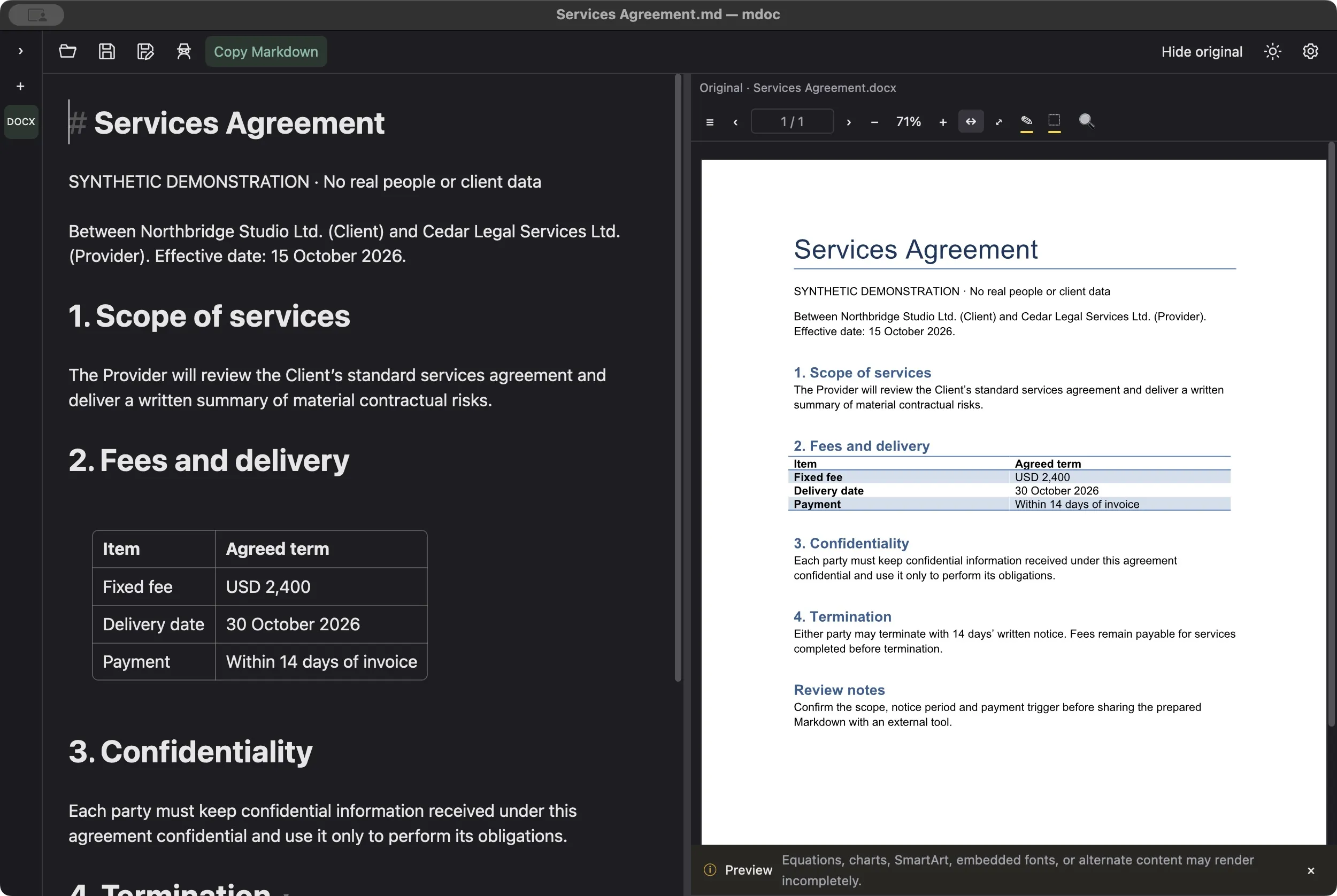
Check the converted text against the PDF or Word original while you edit. The original file is never changed.
Names, companies, emails, phone numbers, addresses and IDs are replaced with consistent aliases like PERSON_1. You approve each one.
One click copies the prepared text as Markdown, ready to paste into ChatGPT or Claude.
No upload, no account. Works offline after a one-time model download. A 100-page PDF converts in 0.12 s.
Speeds measured on a fanless MacBook Air (M4, 24 GB) with synthetic text-heavy documents. Your results depend on your computer and documents.
See it work
Everything shown runs on your computer. The agreement is made up for the demo; the scan is a public court opinion.
Yes, as a public beta for Macs with Apple silicon and Windows PCs. Get it from the download page. Beta builds may still have rough edges, so try mdoc with made-up or non-confidential documents first. mdoc tells you in its settings when a newer version is out.
No. Opening, reading, recognizing scans and pseudonymizing all happen on your computer. mdoc connects to the internet only when you approve the one-time download of its recognition and pseudonymization models, from GitHub and Hugging Face. After that it works offline. It also checks GitHub for a newer version when it starts, without sending any document data; you can turn that off in its settings. Text reaches an AI tool only when you copy it and paste it there yourself, and that tool’s own data terms then apply.
It catches most names and identifiers, but not all of them. In our tests on synthetic English legal documents it found about 84% of identifying details; Russian text is detected less reliably. That is why mdoc only proposes replacements: you review each one, add anything it missed, and approve before copying. Dates, amounts and other context are not replaced automatically and may still identify the parties. Pseudonymization helps you prepare a document; it does not guarantee that the result is anonymous.
PDF (including scanned PDFs), Word (DOC and DOCX), Excel (XLS and XLSX), PowerPoint (PPT and PPTX), OpenDocument (ODT, ODS and ODP), RTF, EPUB and CSV, as well as Markdown and plain text. The side-by-side view of the original is available for PDF and Word files. Your original file is never changed.
mdoc keeps the text and its structure, such as headings, lists and tables, rather than the page layout. Embedded images are not carried over, and complex tables or unusual Word features may need a quick correction. Keep the original in view and check the result before you rely on it.
Scanned PDF pages are recognized locally in English, or in English and Russian. Clean, printed scans work best. Handwriting is not supported, and recognition can misread characters, so check figures and names against the original. Recognition applies to PDFs; images inside Word files are not read.
mdoc is made for Macs with Apple silicon (M1 or later) and Windows PCs (x64). On Windows, scanned-page recognition also needs the free Microsoft Visual C++ Redistributable. Developers can build mdoc for Intel Macs, Windows on ARM and Linux; there it reads documents with built-in text, but scan recognition and automatic pseudonymization are not available.
Yes. mdoc is free and open-source software under the GPL-3.0-or-later license.
Its code, including the lawkitt/anydoc conversion library it uses,
is public on GitHub. There is no account and no subscription.
Use the mdoc issue tracker. Please describe your computer, the steps that led to the problem, and, if possible, a made-up example document rather than a real client file.